
Table of Contents
How AI search hands back the exact clause or figure in seconds
A customer calls about a job you ran four years ago. They want to know which spec was used.
You know the answer exists. It’s in a file, on a drive, in a folder named after a project that’s been renamed twice since. Or it’s in somebody’s inbox. Or it’s in the head of the one person who’s been here long enough to remember — and he’s out until Thursday.
So the hunt starts. Someone checks the drive. Someone else searches email. A third person walks down the hall to ask.
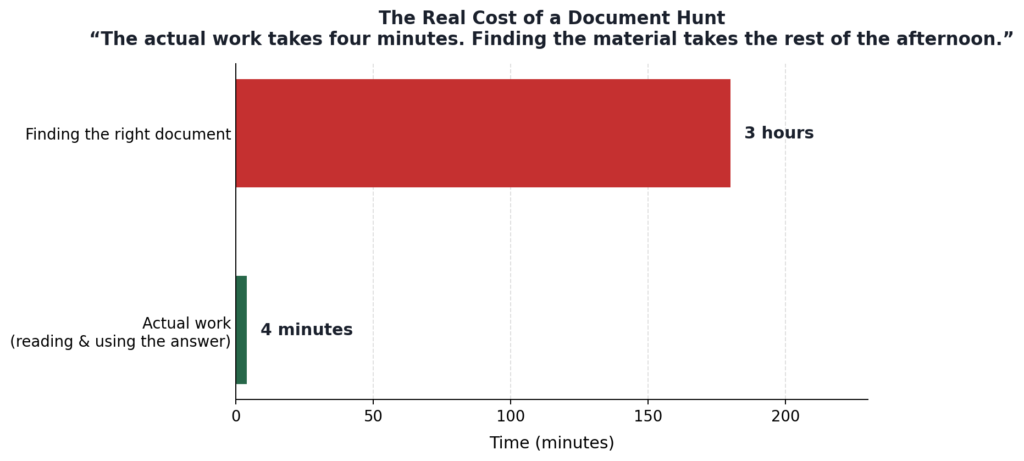
The actual work takes four minutes. Finding the material to do the work takes the rest of the afternoon. And it happens again next week, on a different question.
Your search bar isn’t broken. It’s answering the wrong question.
Most companies already have document search. It’s in the file explorer, the email client, the document management system that got implemented some years back and half-adopted since.
It works, technically. The problem is what it looks for.
Conventional search matches strings. Type a word, get files containing that word. That’s useful when you remember the exact phrasing, the file name, or the project code.
It’s useless when what you remember is the substance — that there was a clause about liability caps, that somebody quoted a figure for phase three, that a report covered the inspection findings that year.
Substance isn’t a string. The gap between what you remember and what you’d have to type is exactly where the afternoon goes.
Why documents scatter in a mid-size industrial business
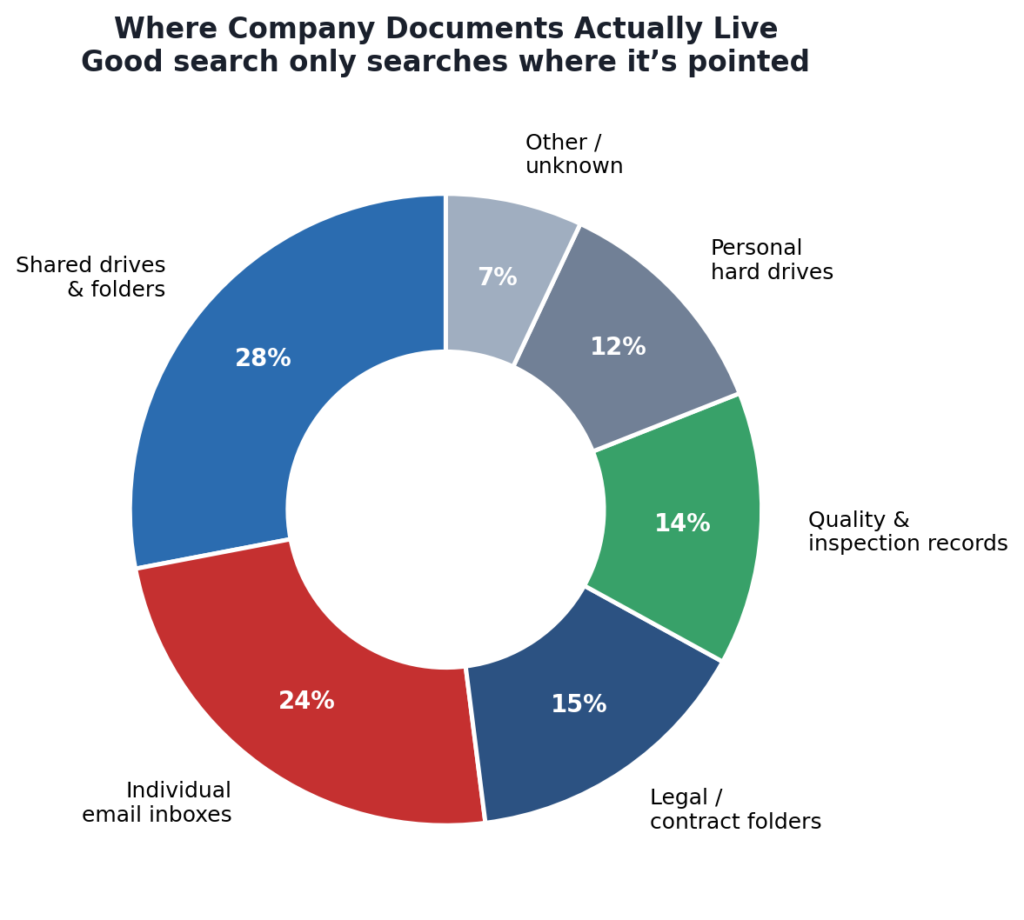
There’s a second problem, and it’s structural. Company documents don’t live in one place:
- Contracts sit with legal, or in a signed-PDF folder
- Reports sit with whoever wrote them
- Certifications and inspection records sit with quality
- Correspondence sits in individual inboxes — functionally invisible to everyone but the recipient
Good search only searches where it’s pointed. Point it at one drive and you’ve searched one drive. Any serious answer to this has to reach across all of it.
What AI document search actually does differently
This is the problem Nataero is built for, and it’s why we implement it for clients working through this exact pattern.
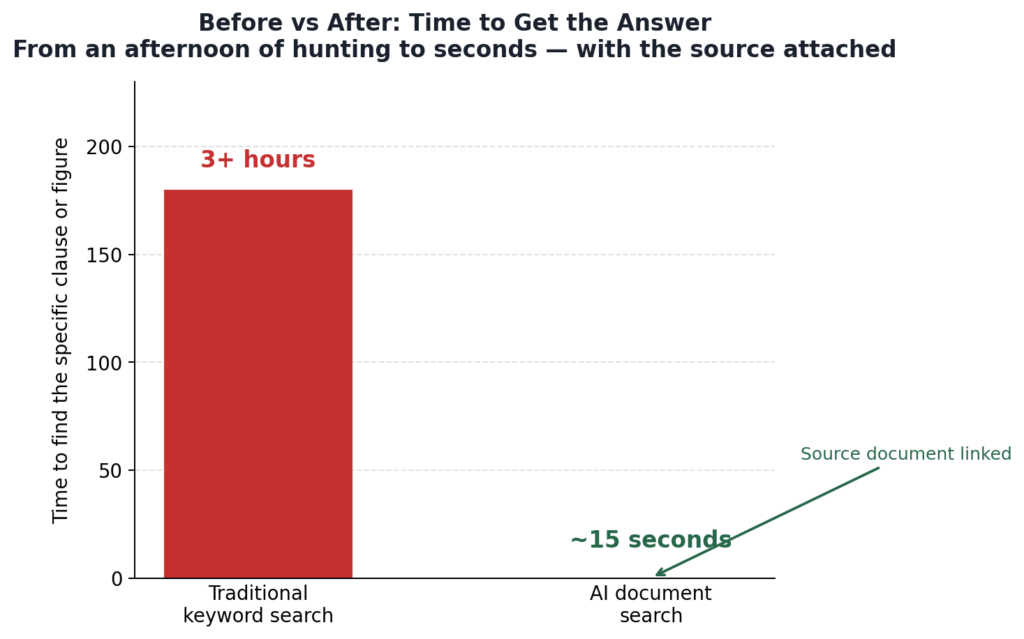
The premise: ask a question in plain English, across every contract, report, and file the system covers. Get the specific clause or figure back — with its source attached. In seconds.
Not forty search results that mention the word. The answer, and a pointer to the document it came from.
Plain English matters more than it sounds. The person asking doesn’t need to know the file name, the folder structure, or the naming convention in use in 2019. They need to know what they’re trying to find out — which they already do, because it’s their job.
Source attribution matters more still. An answer without a source is a claim. An answer with the document behind it is something you can send to a customer, hand to a regulator, or put in front of counsel. Where the record is the product — certifications, inspections, contract terms, compliance history — that distinction is the entire thing.
The part owners tend to care about most
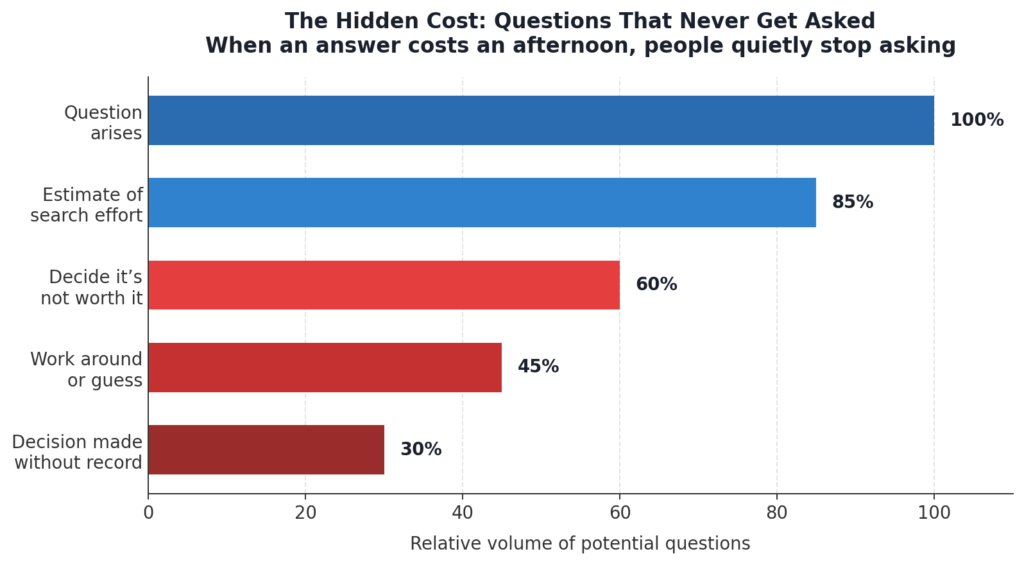
Three things change, and they land in this order.
A question stops costing three interruptions. The immediate win, and the easiest to see.
Questions start getting asked at all. When an answer costs an afternoon, people quietly stop asking. They estimate. They work around it. They decide without the information and hope. When the cost drops, the question gets asked — and decisions that were running on memory start running on the record.
The knowledge stops being one person’s asset. In a lot of mid-size industrial businesses, the fastest search tool in the building is a person. Thirty years of jobs, specs, and exceptions, held in one head, retrievable by walking over and asking.
That works. It works right up until he retires — and the week he gives notice is a bad week to discover how much of the company was living in his memory.
Common questions about AI document search
How is AI document search different from the search already built into our systems? Built-in search matches keywords against file names and text. AI document search works from the meaning of your question, so you can ask for the substance of what you need rather than guessing the exact wording used in the original file.
Does it work across contracts, reports, and email at once? That’s the point of it. Documents scatter across drives, departments, and inboxes; a search that only covers one location leaves most of the answer behind.
How do we know the answer is right? Answers come back with their source attached, so you can open the underlying document and confirm the clause or figure yourself. For regulated and record-keeping work, that verification step is the difference between a claim and evidence.
Where does a project like this start? With scoping, not software — identifying which documents matter, where they currently live, and which recurring questions cost your team the most time.
Where this starts
Not with a platform decision. With a scoping conversation: which documents actually matter, where they currently live, and which recurring questions are costing your team the most time.
That’s the work we do before anything gets implemented, and it’s usually what clarifies whether this is worth solving at all.
If your team is losing afternoons to the hunt, that’s a conversation worth having.
Contact Us
Find our website here
Office- 832-819-5744
