The short version
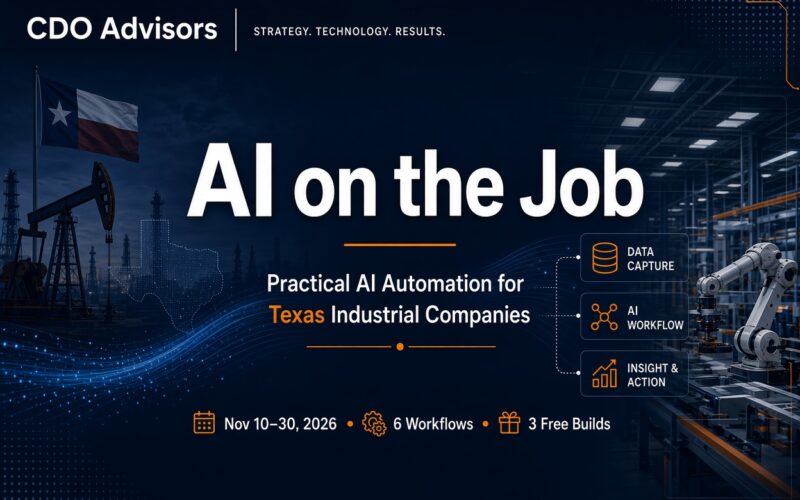
AI on the Job is a 3-week series from CDO Advisors (Nov 10–30, 2026) on practical AI automation solutions for industrial companies. It covers 6 AI workflows for Texas manufacturing, energy and oil & gas companies. Each post explains the problem, how the workflow runs step by step, what setup takes, and who it fits. Three of the six are available as free builds for qualifying companies that sign up before Thanksgiving, Thursday, Nov 26.
Six AI automation solutions for Texas operations. Three weeks. Three of them available as free builds.
Starting Tuesday, Nov 10, 2026 we’re breaking down one recurring problem at a time: the back-office work that eats hours at manufacturers, energy companies and oil & gas operators every week. For each one, we’ll show exactly how an AI workflow would handle it.
This post is the map. Here’s what’s coming, why we picked these six, and how to get one built for your company.
What is the AI on the Job series?
AI on the Job is a series of short, practical breakdowns of AI automation for industrial companies. It isn’t about chatbots or hype. Every post follows the same four-part format:
- The problem it fixes, in the words your team would use
- How it works, step by step
- What it takes to set up
- Who it’s a fit for, and who it isn’t
Which 6 AI solutions does the series cover?
Two new solutions go live each week, with a bonus reader-questions post on Nov 30. The schedule skips Veterans Day and the end of Thanksgiving week.
| Date | Post | What it solves | What you can get |
|---|---|---|---|
| Tue, Nov 10 | The Field Ticket Nobody Checked | Overbilled field tickets that get keyed in by hand | Free build |
| Thu, Nov 12 | The Email That Changes Your Vendor’s Bank Account | Fake “we changed banks” emails that redirect vendor payments | Free red-flags checklist |
| Tue, Nov 17 | Is Your Vendor Insured Today? | Lapsed vendor insurance nobody notices until something goes wrong | Free build |
| Thu, Nov 19 | The Quote That Showed Up Too Late | Slow quote turnaround on incoming RFQs | 15-minute walkthrough |
| Mon, Nov 23 | What Got Permitted Next to Your Lease? | Missed RRC permits and activity near your leases | Free build |
| Tue, Nov 24 | The Report That Writes Itself | A weekly report that depends on one person being at their desk | Sample report |
| Mon, Nov 30 | You Asked: AI for Your Biggest Time-Wasters | Your answers to the question at the end of this post | Free-build fit call |
1. Field Ticket Digitizer
Reads paper and photo field tickets, pulls out every line item, and flags charges above your agreed rates before you pay them.
How it runs: crews photograph tickets and email them in → AI extracts the line items → each line is checked against your rate sheet → a reviewer approves the flags → clean data lands in a spreadsheet.
2. AP invoice fraud check
Catches vendor bank-detail changes and duplicate invoice numbers before a payment goes out, so a convincing “we’ve changed banks” email can’t quietly redirect your money.
How it runs: every invoice is compared against your vendor master → any changed bank details or duplicates are stopped → a person is alerted. Nothing is paid automatically.
3. Certificate of insurance (COI) and vendor compliance tracker
Reads vendor certificates of insurance, checks coverage limits and expiration dates against your master service agreement (MSA) requirements, and chases renewals before coverage lapses.
How it runs: vendors send certificates to one inbox → AI reads the limits and dates → each certificate is checked against your MSA requirements → reminders go out at 60, 30 and 7 days, after a person approves them.
4. RFQ-to-quote assistant
Turns a request for quote (RFQ) email into a draft quote, priced only from your own price sheet, so estimators review instead of retyping.
How it runs: the RFQ arrives → AI pulls the specs and quantities → items are priced from your price sheet only → a draft quote is built in your template → an estimator approves it. Anything not on the sheet goes to a person.
5. RRC activity watcher
Watches Railroad Commission of Texas (RRC) data for new permits and activity near your leases, and sends a plain-English weekly digest.
How it runs: official RRC data files are pulled on a schedule → filtered to your counties, operators and leases → AI writes the weekly summary → it lands in your inbox. It uses public data, so it needs no access to your systems.
6. Weekly ops report writer
Turns the week’s numbers into a short leadership summary of wins, misses and questions to ask, even on a holiday week.
How it runs: the numbers land in a shared folder → the math runs in code, not AI → AI writes the summary → it goes to leadership’s inbox after an optional approval.
Why start with one AI workflow instead of a chatbot?
Most AI pitched to industrial companies falls into two buckets: a chatbot demo, or a big platform promise. Neither touches where the hours actually go.
The hours go to the back office. Field tickets keyed in by hand. Vendor insurance certificates sitting in someone’s inbox. RFQs waiting on a buried estimator. A Monday report that only gets written if one person is at their desk.
Nobody budgets for this work, and nobody wants it. It’s also exactly where AI earns its keep.
The best first AI project for most industrial companies isn’t a chatbot. It’s one tedious workflow, done the same way every time, with a person signing off.
What makes a workflow a good fit for AI automation
We didn’t pick these six at random. Each one shares three traits:
- The input is messy but predictable. Tickets, certificates, RFQs and permit filings vary in format, but they carry the same fields every time. AI is good at reading them.
- The rules already exist. Your rate sheet, your insurance requirements, your price list. AI checks against rules you already wrote; it doesn’t invent new ones.
- A person can check the output fast. Reviewing a flagged ticket is quick. Keying in a stack of them by hand eats a morning.
How do these AI workflows keep people in control?
A person approves every action
None of these six pays a vendor, emails a customer or files anything on its own. AI does the reading, extracting, checking and drafting. A person on your team approves what goes out. That’s a design choice, not a limitation: it’s how you get a workflow your team trusts and keeps using.
You don’t need a big IT department
Most of these start from something you already have: an email inbox, a shared folder, a spreadsheet, or public data. The RRC watcher needs no access to your systems at all. Each post spells out what setup involves, so you can judge the lift before you ask.
Who is the series for?
AI on the Job is built for Texas manufacturers, energy companies and oil & gas companies with roughly $10M or more in annual revenue. That’s the range where the paperwork is heavy enough to hurt, but there usually isn’t a dedicated team to automate it.
The people who’ll get the most out of it:
- Owners, COOs and VPs of Operations
- Controllers, CFOs and accounts payable (AP) leads
- Plant managers, field superintendents and estimating managers
- Contracts and risk managers who chase vendor paperwork
- Land and mineral management teams (the RRC post applies at any company size)
It’s not for companies looking for a general-purpose chatbot or a company-wide AI platform rollout. Each solution does one job, and does it well.
How do the free AI builds work?
Three of the six solutions are available as free builds: the Field Ticket Digitizer, the COI and vendor compliance tracker and the RRC activity watcher. We’re delivering 3 free builds in November and December for qualifying Texas companies that sign up before Thanksgiving, Thursday, Nov 26.
A free build means we set the workflow up on your real documents, you watch it run, and your team approves what it produces. There’s no consulting fee and no commitment. You cover only direct software costs, if any, and we’ll tell you what those are before we start. If the workflow earns its keep, we can keep it running and maintained for you month to month. If it doesn’t, you walk away.
Claim one of the 3 free-build spots before Thanksgiving. Fill out our contact form and tell us which build you want and a little about your operation.
One question for you
What’s the task at your company that eats the most hours every week?
Tell us in the comments on our Facebook kickoff post or send it through our contact form. On Nov 30, we’ll pick a few answers and walk through what AI could do with each one.
Frequently asked questions
What is AI on the Job?
AI on the Job is a 3-week series from CDO Advisors that breaks down 6 practical AI automation workflows for Texas manufacturing, energy and oil & gas companies. Each post covers the problem, how the workflow runs, what setup takes and who it fits.
When does the series run?
The series runs from Tuesday, Nov 10 to Monday, Nov 30, 2026. Solution posts go live on Nov 10, 12, 17, 19, 23 and 24, followed by a bonus reader-questions post on Nov 30.
Which companies qualify for a free AI build?
Texas manufacturing, energy and oil & gas companies with roughly $10M or more in annual revenue. The RRC activity watcher is open to operators and land and mineral teams of any size. There are 3 free-build spots, and you need to sign up before Thanksgiving, Nov 26, 2026.
What does a free AI build cost?
There’s no consulting fee and no commitment. You cover only direct software costs, if any, and we tell you what those are before we start. If you want the workflow kept running afterward, we can maintain it month to month.
Does the AI make decisions or pay vendors on its own?
No. In every workflow in this series, AI reads, extracts, checks and drafts. A person on your team approves anything before it’s sent, paid or filed.
Do we need an IT department to set this up?
No. Most of these workflows start from an email inbox, a shared folder, a spreadsheet or public data. The RRC activity watcher needs no access to your systems at all.
You don’t need an AI strategy deck to get started. You need one workflow that gives your team a few hours back every week, and a team that trusts the output enough to keep using it. That’s what the next three weeks are about.