
Last updated: June 2026 · By Allison Wilson
You didn’t invest in Power BI just to watch your team quietly drift back to Excel. Yet six months after launch, that’s exactly what happens in most small and mid-sized businesses. Dashboards go live, licenses get paid, but Monday’s meeting still starts with
“Wait — where did that number come from?”
The missing piece is almost always Power BI governance.
The good news? For SMBs, governance doesn’t mean 40-page policies or enterprise bureaucracy. It’s a handful of clear decisions you can implement in a single day.
TL;DR
Power BI governance is the simple set of rules that answers four questions:
- Who owns each report?
- What does each metric actually mean?
- Where does the trusted version live?
- Who can see and edit what? Get these four basics right and your dashboards move from being ignored to being trusted — the essential foundation for any successful AI or analytics initiative.
Why Most Power BI Rollouts Lose Trust
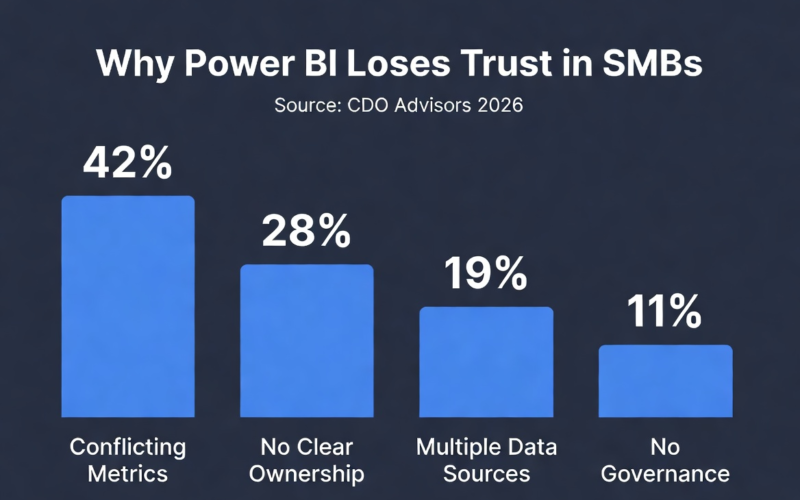
Walk into most SMBs and you’ll see the same pattern: three different “Revenue” dashboards built by three different people. Each uses slightly different data sources, metric definitions, and refresh schedules. None are completely wrong — but they disagree.
Leadership sees conflicting numbers and stops trusting all of them.
This is the quiet killer of Power BI adoption. Not a technical failure — a trust failure. And it’s why only about 39% of organizations report high confidence in their BI insights. The root cause is rarely the visuals. It’s that no one defined ownership, definitions, and the single source of truth upfront.
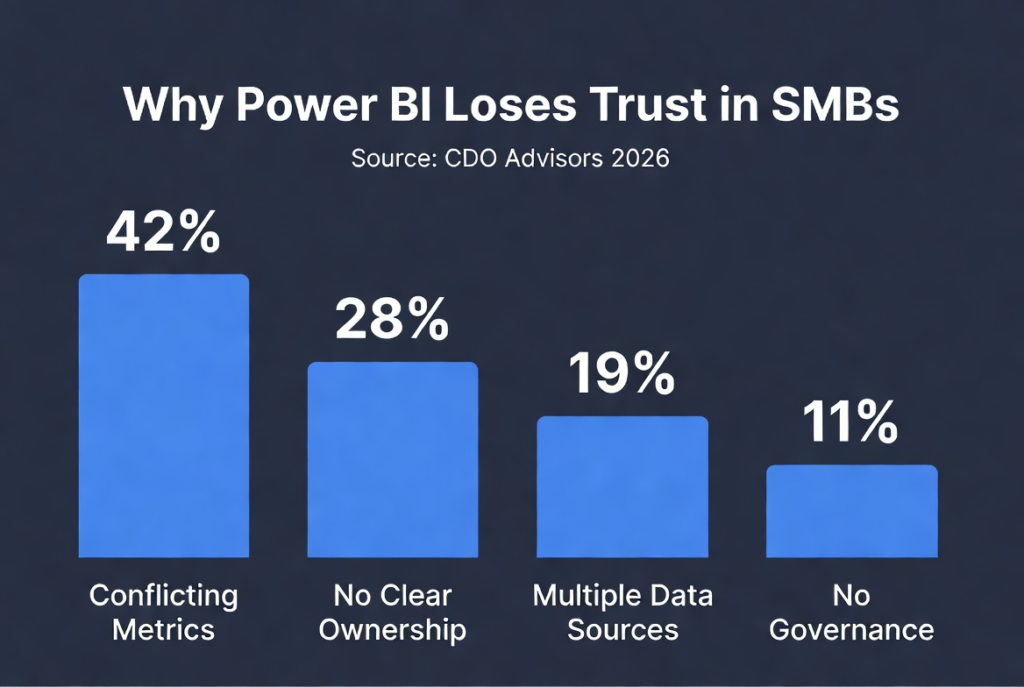
The root cause is rarely the visuals. It’s that no one defined ownership, definitions, and the single source of truth upfront.
What Power BI Governance Means for an SMB
At your scale, governance is practical — not bureaucratic. It boils down to answering these four questions:
1. Who owns each report?
One named person (not “the data team”) is accountable for accuracy and maintenance.
2. What does each metric mean?
Create a shared, written definition for your top 10 KPIs (Revenue, Active Customer, Churn, Pipeline, etc.). This one step eliminates most “version of truth” arguments.
3. Where does the trusted version live?
Clearly separate development workspaces from published, certified reports used by leadership.
4. Who can see and edit what?
Builders build. Viewers view. No one accidentally changes the report the CEO opens every morning. Answer these four questions clearly and you’ll be better governed than most companies three times your size.
The SMB Power BI Governance Checklist
Use this checklist whether you’re starting fresh or fixing a messy rollout. Most items can be completed in one day.
| Action | Why it matters | Effort |
| Assign one named owner per report | Kills orphaned, unmaintained dashboards | 1 hour |
| Write a one-page metrics dictionary (top 10 KPIs) | Ends the “whose number is right” debate | Half a day |
| Separate Dev / Test / Production workspaces | Stops live edits to the reports leadership trusts | 1 hour |
| Set role-based access (build vs. view) | Protects certified reports from accidental changes | 1 hour |
| Certify ONE shared dataset as the single source of truth | Every report builds from the same model, not random files | Half a day |
| Calendar a monthly 30-minute governance review | Catches drift, retires dead reports, confirms numbers tie out | 30 mins/mo |
Why Governance Is the Foundation for AI
AI vendors love to skip this part: feeding a model messy, ungoverned data doesn’t fix your data — it multiplies the mess at machine speed.
Inconsistent definitions → inconsistent reports → unreliable AI outputs.
Companies that solve governance first deploy AI roughly 3x faster with significantly higher success rates. Good governance makes your data predictable — and predictable data is the only kind AI can reliably build on.
Frequently Asked Questions
What is Power BI governance? The set of rules and roles that control how reports and data are created, defined, shared, and maintained. For SMBs, it’s about answering the four key questions above.
Why does governance matter? Without it, teams create conflicting reports. Leadership loses trust and reverts to spreadsheets. Governance creates and protects a single source of truth.
How do I set it up? Follow the six-step checklist above. Most of the work is organizational, not technical.
What is a single source of truth in Power BI? One certified, shared dataset that every report builds from — so all dashboards calculate metrics consistently.
Do I need extra software? No. Power BI’s native features (workspaces, roles, dataset certification) are enough.
The Bottom Line
Your dashboards didn’t fail because of bad charts. They lost trust because no one owned the numbers, defined what they meant, or protected the single source of truth.
Get governance right — those four questions and six-step checklist — and Power BI finally becomes the decision-making tool it was meant to be.
Governance over graphics. Every time.
Stuck on implementation?
Untangling a messy Power BI environment is where most teams get stuck. That’s what we do at CDO Advisors every day.
We help SMBs turn under-used Power BI into trusted business intelligence — with transparent $150/hr pricing, senior experts, and an 80%+ adoption track record. No retainers. No junior consultants.
→ Book a free Power BI Governance Consult We’ll review your current setup and show you the 2–3 highest-impact fixes.
Learn More:
